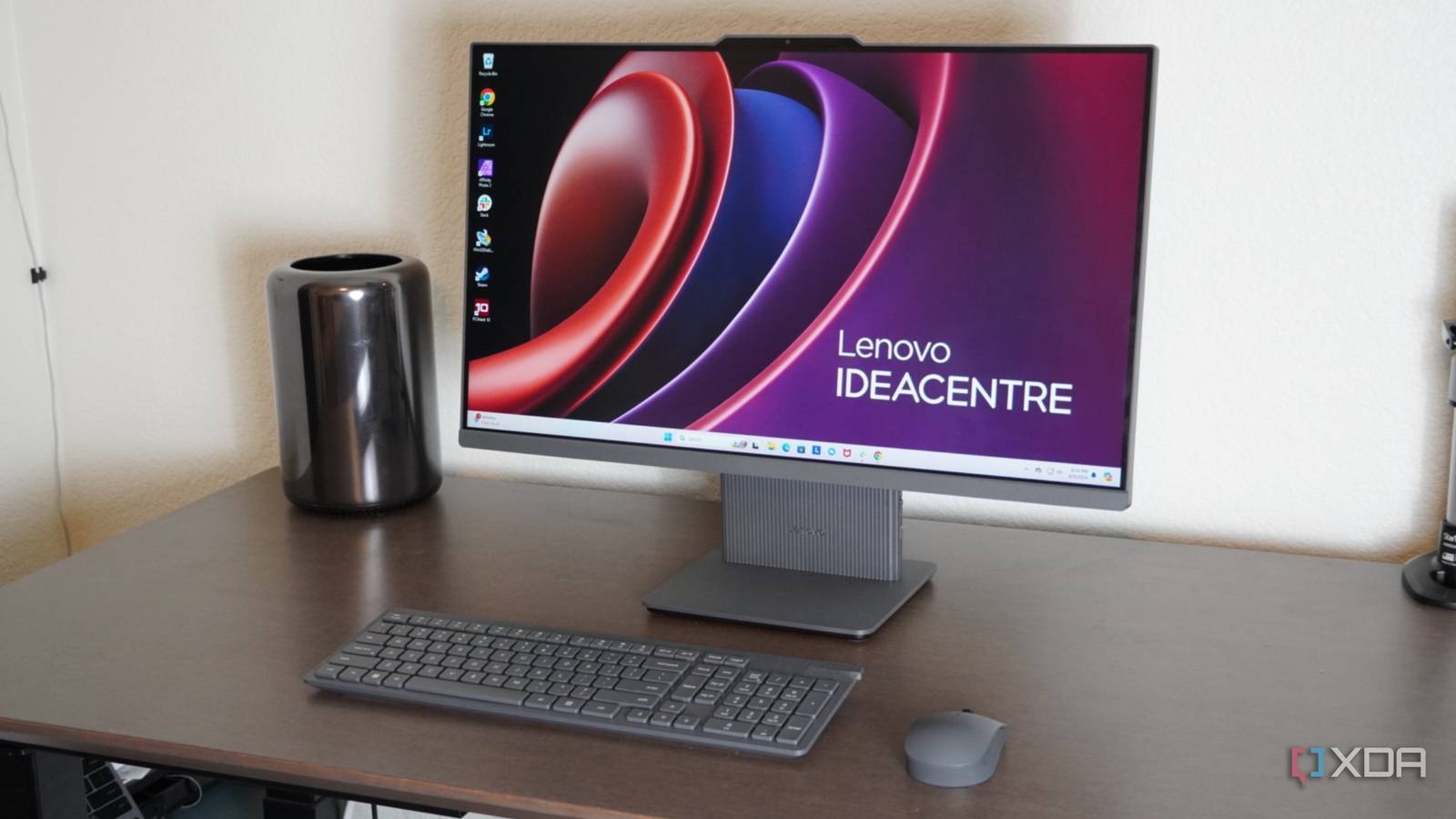
Lenovo IdeaCentre AIO 13th Gen Core™ i3-1315U - Best Budget PC for Students and Regular Users

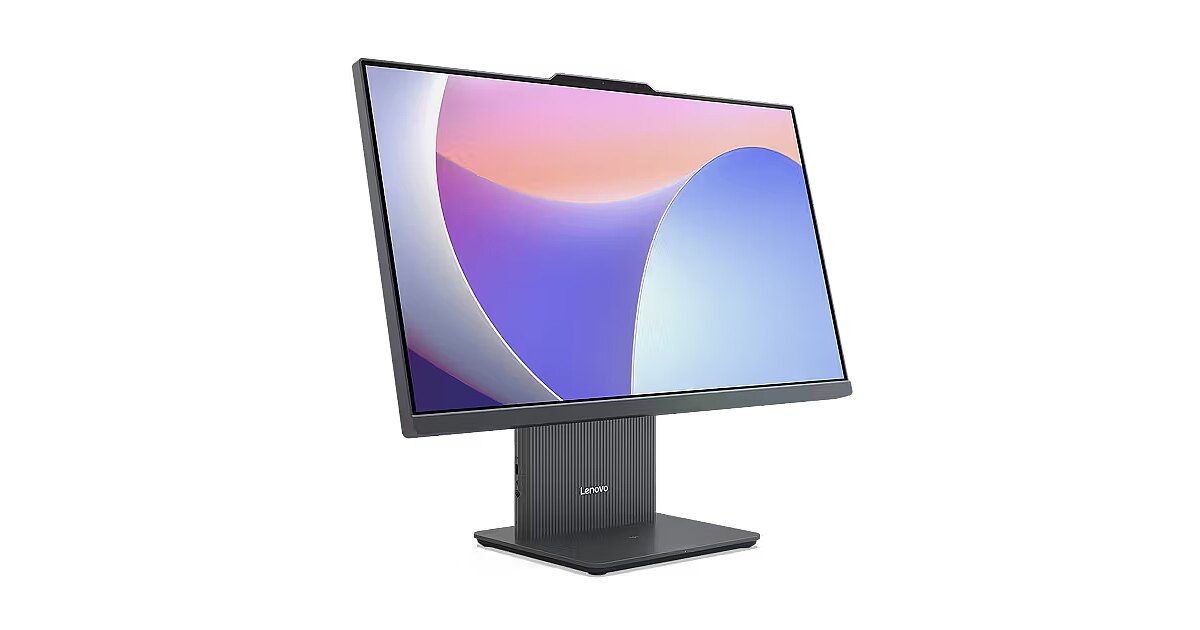
The Lenovo IdeaCentre AIO 13th Gen Core™ i3-1315U (model F0HN00PGIN) is a sleek, space-saving all-in-one desktop perfect for home, office, or student use. Combining a vibrant 23.8-inch display with modern hardware, it delivers efficient performance for everyday tasks without the clutter of separate components.

Key Specifications and Features

  • Processor: Intel Core i3-1315U (13th Gen) – 6 cores (2 performance + 4 efficient), 8 threads, up to 4.5GHz turbo boost, 10MB cache. Handles multitasking, browsing, office work, and light media editing smoothly.
  • Memory: 8GB DDR5-5200 RAM (upgradable to 16GB via two SO-DIMM slots for better future-proofing).
  • Storage: 512GB M.2 PCIe 4.0 NVMe SSD – Fast boot times, quick app loading, and ample space for files, photos, and apps.
  • Display: 23.8-inch FHD (1920x1080) IPS panel – 100Hz refresh rate, 250 nits brightness, anti-glare, 99% sRGB color coverage, 3-side borderless design, hardware low blue light for eye comfort. Non-touch.
  • Graphics: Integrated Intel UHD Graphics – Suitable for casual use, streaming, and light productivity (not for heavy gaming).
  • Audio and Camera: Dual 3W Harman speakers for clear sound; 5MP camera for video calls.
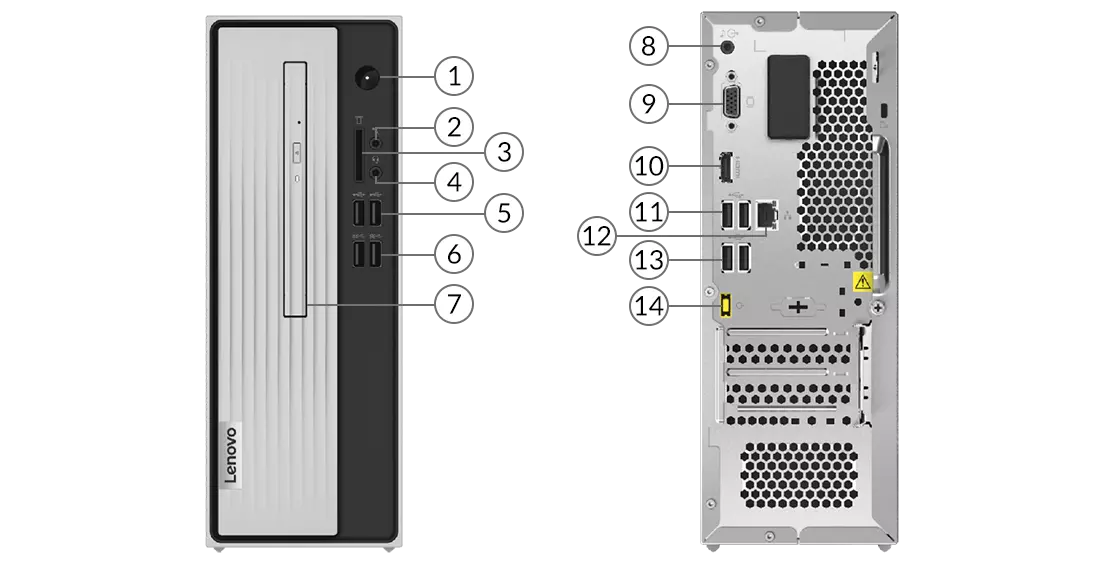
  • Connectivity: Wi-Fi 6 (802.11ax), Bluetooth 5.2, multiple ports including USB-C (10Gbps), USB-A, HDMI-in/out, Ethernet, headphone jack.
  • OS and Software: Windows 11 Home (Single Language) pre-installed, plus Microsoft 365 Basic and Office Home 2024.
  • Included Peripherals: Wireless keyboard and mouse.
  • Design: Cloud Grey color, slim all-in-one form factor with minimal desk footprint and tilt-adjustable stand.

Performance and Who It's For

This AIO shines in daily scenarios: web browsing, Microsoft Office, video streaming (Netflix, YouTube), online classes, light photo editing, and virtual meetings. The 13th Gen Intel processor with DDR5 RAM ensures snappy response times, while the 100Hz display provides smoother scrolling than standard 60Hz panels.

It's not built for intensive gaming, 4K video editing, or heavy multitasking with large datasets—consider higher-spec models for those. But for families, students, or professionals seeking a clean, reliable setup, it's excellent value.

Customer feedback on similar Lenovo IdeaCentre AIO models praises the build quality, vibrant screen, and ease of setup, with an average around 4.1 stars on early listings.

Pricing and Offers

Currently priced at ₹50,990 on Amazon (MRP ₹73,690, 31% off). In stock with fast delivery options. Bank offers, No Cost EMI (starting ~₹1,793/month), and cashback available on select cards.

Lenovo IdeaCentre 3 Review | PCMag

Pros and Cons

Pros:

  • Space-saving all-in-one design
  • Modern DDR5 RAM and fast SSD
  • Smooth 100Hz FHD IPS display
  • Good connectivity including HDMI-in for extra use
  • Included wireless peripherals and Office suite
  • Eye-friendly features

Cons:

  • 8GB RAM may feel limiting for heavy multitasking (upgradable)
  • Integrated graphics limit gaming/performance-intensive apps
  • Non-touch screen

Final Verdict

The Lenovo IdeaCentre AIO F0HN00PGIN offers a balanced, modern all-in-one experience at a competitive price. Ideal if you want a tidy desk setup with solid performance for everyday computing.

Buy Now from Amazon: https://amzn.to/46O1LZv

If you're upgrading from an older laptop or building a simple home workstation, this is a smart, hassle-free choice in 2026.

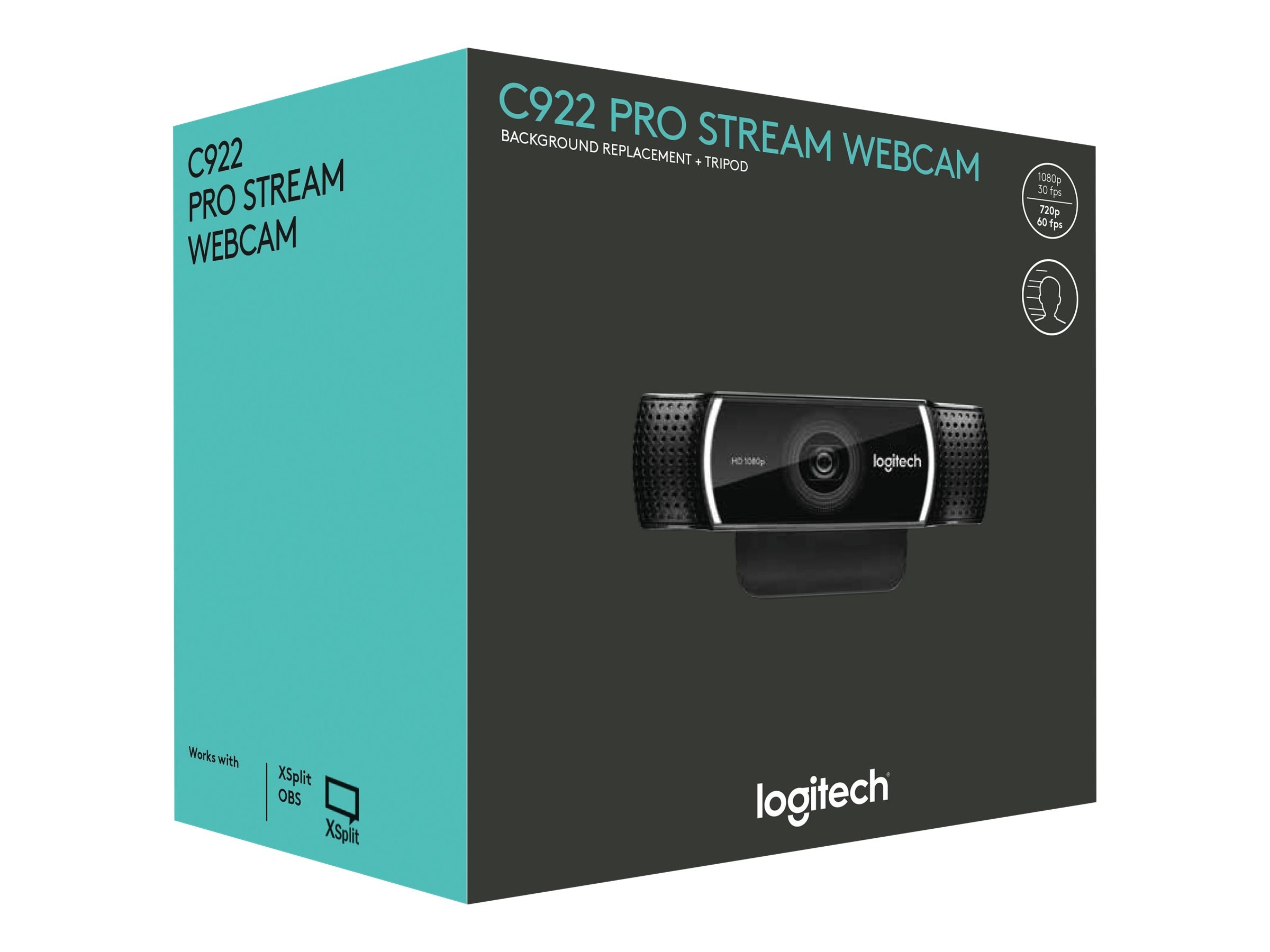
Logitech C922 Pro Stream Webcam - A Great Budget Camera for Streaming and Video Conferencing

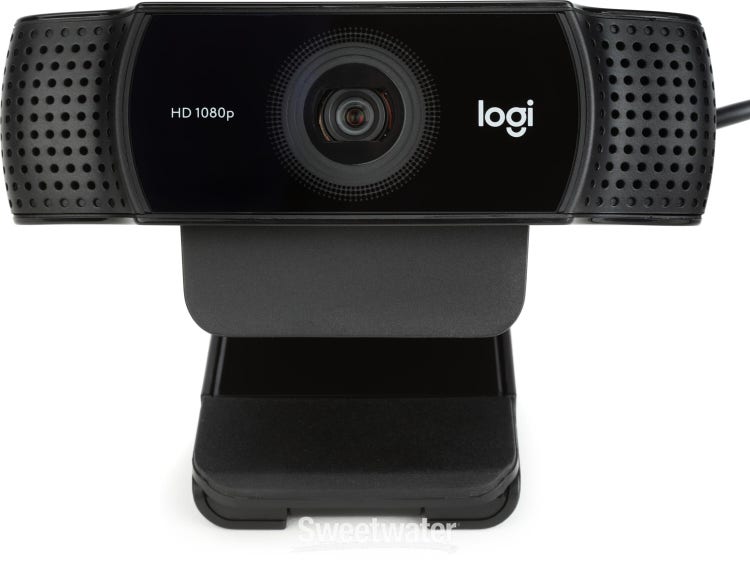
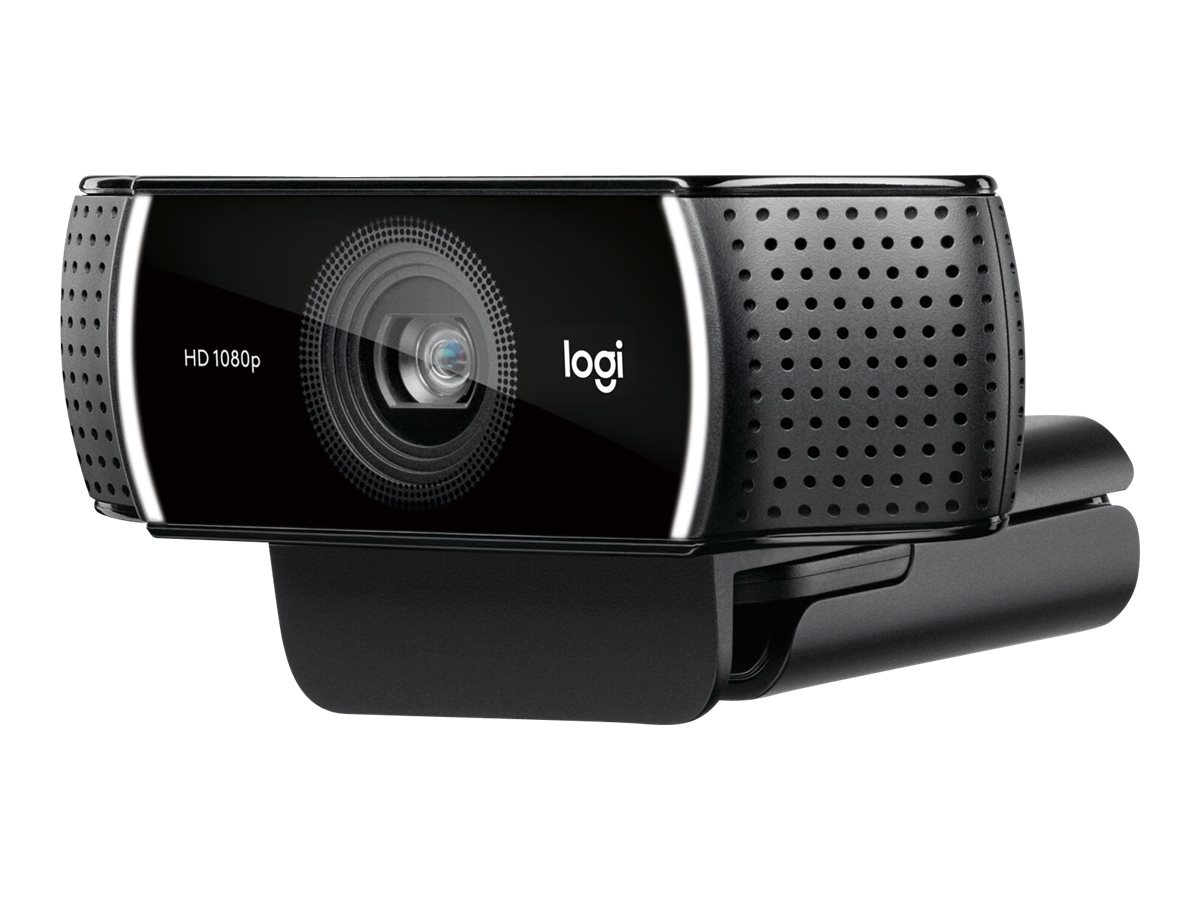
 The Logitech C922 Pro Stream Webcam remains a popular and reliable choice for streamers, content creators, remote workers, and anyone needing high-quality video in 2026. Even as newer 4K options emerge, the C922 delivers solid 1080p performance, smooth frame rates, and streamer-friendly features at an accessible price point.

This Full HD webcam, model 960-001088 (or similar variants), is designed specifically for live streaming on platforms like Twitch, YouTube, and Zoom calls, with excellent low-light handling and easy setup.

Logitech C922 Pro Stream 1080p Webcam Reviews | Sweetwater

Logitech C922 Pro Stream Webcam (960-001087)

Key Specifications

  • Resolution & Frame Rates: Full HD 1080p at 30 fps or smooth 720p at 60 fps (ideal for fast-paced gaming streams).
  • Field of View: 78° diagonal – perfect for framing a single person without too much background clutter.
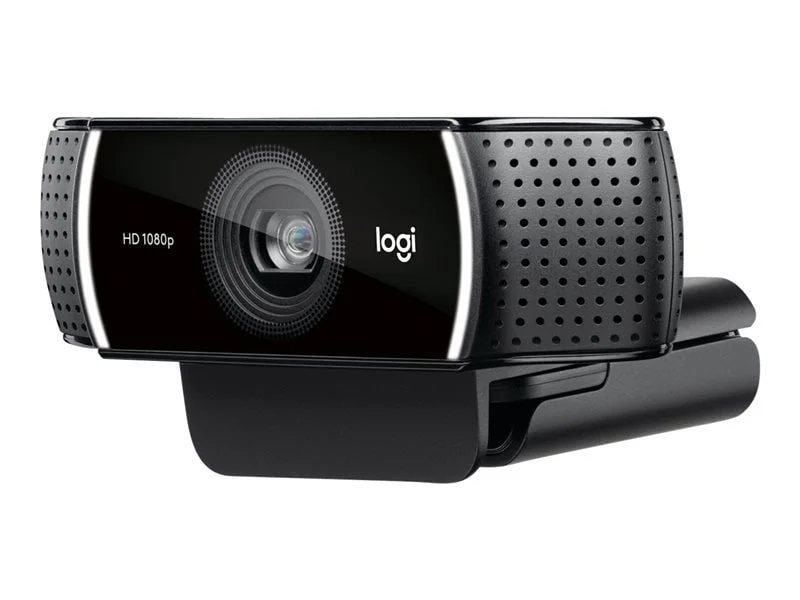
  • Lens: Glass lens with autofocus for sharp focus.
  • Auto Light Correction: RightLight technology adjusts for bright, clear video even in varying or low-light conditions.
  • Microphones: Built-in dual omnidirectional stereo mics for clear audio pickup from multiple angles.
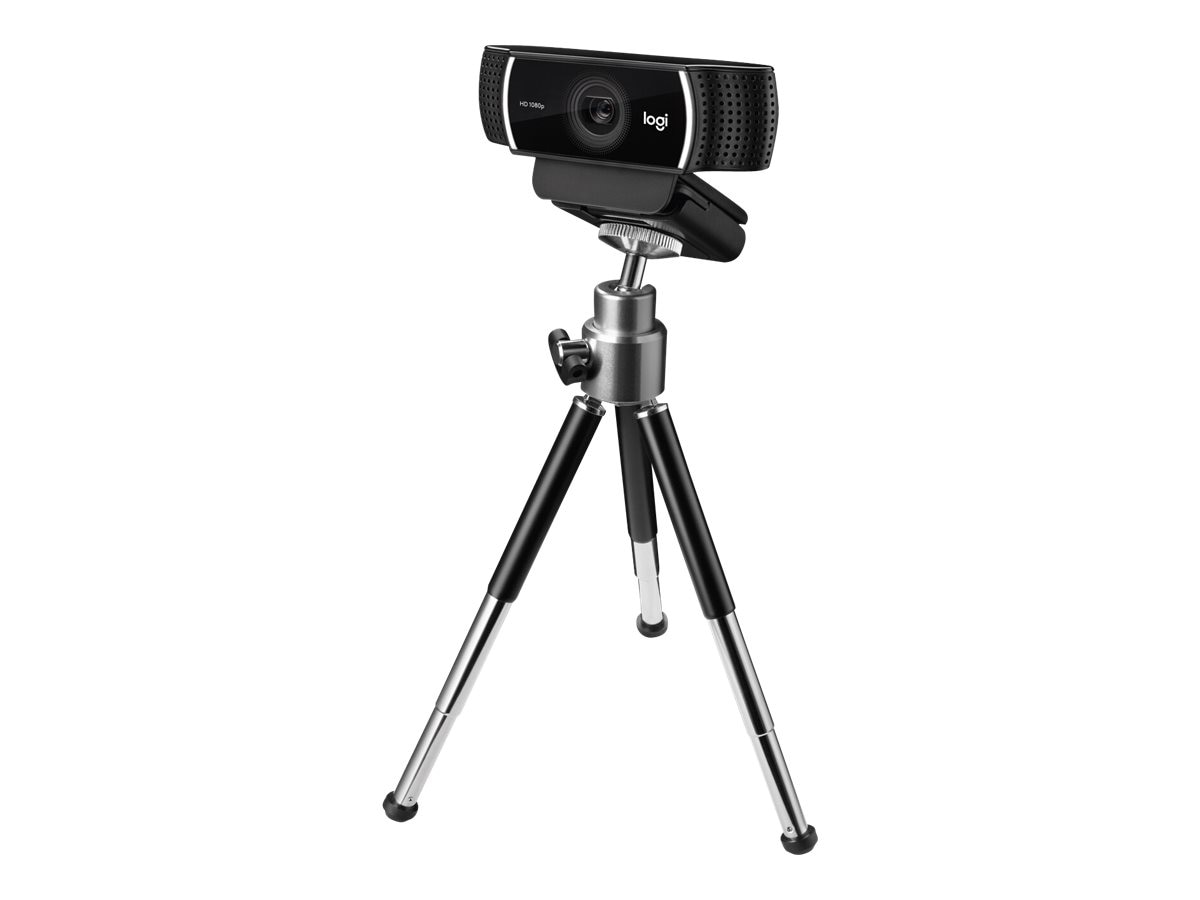
  • Mounting: Universal clip for monitors/laptops + standard tripod thread (includes a small tripod in many bundles).
  • Compatibility: Plug-and-play via USB-A; works seamlessly with Windows, macOS, OBS Studio, XSplit, Zoom, Microsoft Teams, and more.
  • Extras: Background replacement support via XSplit (works best with green screen or clean backgrounds).

Logitech C922 Pro Stream Webcam

Logitech C922 Pro Stream Webcam

Why Choose the Logitech C922 in 2026?

Even years after launch, the C922 holds up remarkably well. Reviews from 2025-2026 highlight its reliability for beginners and budget-conscious users. It offers crisp video quality, especially at 1080p, and the 60 fps mode at 720p keeps motion smooth during gameplay.

Pros:

  • Excellent value for streaming and recording.
  • Great low-light performance compared to many budget webcams.
  • Easy plug-and-play setup – no complex drivers needed.
  • Versatile mounting options, including the included tripod for desk setups.

Logitech Eyes 'Serious' Game Streamers With New Webcam | PCMag

Logitech Eyes 'Serious' Game Streamers With New Webcam | PCMag

Cons:

  • No 4K resolution (newer models like Logitech MX Brio offer this).
  • Built-in mics are decent but not broadcast-level – pair with a separate mic for pro audio.
  • Background removal feature requires ideal conditions or a green screen.

It's frequently praised as a "starter" or "reliable classic" webcam that doesn't disappoint for Twitch, YouTube gaming, vlogs, or professional video calls.

Logitech C922 PRO STREAM WEBCAM | 78012840 | Lenovo US

What's in the Box?

  • Logitech C922 Pro Stream Webcam
  • Attached USB-A cable (about 1.5m / 5 ft)
  • Universal mounting clip
  • Tripod (in most retail packages)
  • User documentation

Who Is It For?

  • Gamers and Twitch/YouTube streamers starting out.
  • Remote workers needing clear video for meetings.
  • Content creators recording tutorials or vlogs.
  • Anyone wanting better quality than built-in laptop cams without spending on premium 4K options.

For a visual demo of setup and usage in streaming software like OBS or XSplit:

(Note: Embed a relevant YouTube video showcasing the C922 in action – viewers can watch how it performs in real streaming setups.)

Final Thoughts

The Logitech C922 Pro Stream Webcam continues to be a top recommendation for anyone seeking dependable HD streaming without breaking the bank. Its combination of sharp video, smooth frame rates, and streamer tools makes it a timeless pick.

Ready to upgrade your setup? Grab it now with fast delivery and great deals.

Buy Now from Amazon

Lifelong Adjustable Dumbbells Set for Home Gym

 The Lifelong Adjustable Dumbbells Set for Home Gym (ASIN: B0D14X1GJC) is a popular choice for anyone building a compact home workout space in India. This set stands out as an affordable, space-saving alternative to traditional fixed dumbbells or bulky gym equipment. Priced competitively on Amazon.in, it targets beginners to intermediate users who want versatility without breaking the bank.

Key Features and Build Quality

This Lifelong set features an adjustable design, typically ranging from around 1.5kg to 18kg per dumbbell (based on similar models in the brand's lineup like LLAD03/LLAD04). It uses iron weights with a durable black coating, a comfortable textured handle for grip, and a dial or quick-change mechanism for effortless weight adjustments. The included storage tray or rack keeps everything organized and protects floors.

  • Adjustment system — Quick and intuitive, often with a twist or dial mechanism.
  • Material — Rubber-coated or sturdy iron plates to reduce noise and prevent damage.
  • Design perks — Compact footprint, 360° rotating handle in some variants for natural wrist movement, and safety locks to secure weights during lifts.

The build feels solid for the price range, with anti-slip handles that stay secure even during sweaty sessions. It's marketed as suitable for men and women, making it ideal for full-body workouts like curls, presses, rows, squats, and more.

Performance in Real Workouts

In practice, these dumbbells shine for home use. Switching weights takes seconds, saving time compared to loading plates manually. The balance feels even across exercises, and the compact size fits small apartments or living rooms perfectly. Users appreciate the space-saving aspect—no need for a full rack of fixed weights.

They support progressive overload well for beginners to mid-level fitness enthusiasts, covering a wide range of strength training needs.

Pros

  • Excellent value for money — Budget-friendly compared to premium brands.
  • Space-efficient and easy to store.
  • Quick weight changes encourage better workout flow.
  • Durable coating protects floors and reduces clanging.
  • Versatile for various exercises and user levels.

Cons

  • May lack the premium feel of high-end models (e.g., smoother adjustments in some cases).
  • Weight range might feel limiting for advanced lifters needing heavier loads.
  • Occasional mentions in similar products about minor durability concerns over long-term heavy use (though Lifelong generally holds up well for home settings).

Who Should Buy It?

This set is ideal for beginners, casual fitness enthusiasts, or anyone setting up a home gym on a budget. If you're short on space and want an all-in-one solution to replace multiple fixed dumbbells, it's a smart pick. Advanced users might eventually outgrow the max weight, but for most home workouts, it delivers great performance.

Overall, the Lifelong Adjustable Dumbbells Set earns strong praise for affordability, convenience, and practicality. If you're looking to start or upgrade your home training without spending a fortune, this is a reliable, highly recommended option.

Rating: 4.3/5 — Great budget adjustable dumbbells for home use!


macOS vs ChromeOS: A Detailed Comparison (2026)

 macOS (Apple's operating system for MacBooks and iMacs) and ChromeOS (Google's lightweight OS for Chromebooks) represent two different approaches to computing. macOS delivers a premium, polished experience with tight hardware-software integration, while ChromeOS prioritizes simplicity, speed, and affordability on budget-friendly devices. In 2026, the choice often comes down to ecosystem needs, budget, and task complexity—especially for students or everyday users.

Here's a side-by-side comparison of key aspects based on recent reviews and benchmarks.

CategorymacOSChromeOS
Ease of UseIntuitive and elegant interface with Dock, Mission Control, and gestures; highly polished but has a learning curve if switching from Windows/ChromeOS.Extremely simple, clean, and beginner-friendly; fast setup and minimal clutter—ideal for quick adoption.
PerformanceExcellent optimization with Apple Silicon (M-series chips); smooth for demanding tasks like video editing, coding, and multitasking.Lightweight and snappy on modest hardware; great for web browsing and light productivity, but less powerful for intensive apps.
Battery LifeOutstanding—often 18-22+ hours on M-series MacBooks due to efficient chips and optimization.Excellent (10-14+ hours typical); highly efficient on budget hardware, often outlasting similar-spec Windows laptops.
SecurityStrong built-in features like Gatekeeper, FileVault encryption, and rapid updates; low malware targeting due to market share.Top-tier—sandboxing, verified boot, automatic seamless updates; rarely targeted and highly resistant to viruses.
Software & AppsVast native ecosystem; full support for professional tools (Final Cut Pro, Logic, Adobe suite), iOS apps, and broad compatibility.Web apps, Android apps, Linux support; excels with Google Workspace but limited for heavy desktop software.
Offline CapabilityFully robust—most apps and features work offline without issues.Improved but still cloud-reliant for many features; offline support for core apps has grown.
UpdatesRegular, free major updates with long support (5-7+ years); seamless but occasionally require restarts.Automatic, silent, and fast in the background—no interruptions.
Cost/HardwarePremium pricing (MacBooks start ~$999+); locked to Apple hardware with high build quality and resale value.Affordable devices ($200-$600 range); wide hardware variety from multiple manufacturers.
GamingImproved with Apple Silicon (supports many titles via Metal); good for casual/indie, but limited AAA compared to Windows.Limited—Android games, cloud streaming (e.g., GeForce Now); not for native high-end gaming.


Best for Students in 2026

  • Choose ChromeOS if: You're on a budget, use Google Workspace heavily (Docs, Drive, Classroom), need long battery and simplicity for notes, research, Zoom, and web tasks. Chromebooks dominate education for affordability, manageability, and security—perfect for most K-12 and college students.
  • Choose macOS if: You need powerful tools for creative majors (design, video, music), already in the Apple ecosystem (iPhone/iPad sync), or want premium build and longevity. Great for demanding coursework but at a higher cost.

In summary, ChromeOS wins for affordable, low-maintenance student life with web-centric needs, while macOS excels in premium performance, creativity, and ecosystem integration. If price is a factor, ChromeOS often provides better value; for power and polish, macOS is unmatched on its hardware.

Unlock Your Potential: The Top 9 Best Affordable Laptops for Students in the USA

 As a student, your laptop is your lifeline. It’s your library, lecture hall, project collaborator, and occasional entertainment hub. But with tight budgets and an overwhelming sea of specs, finding the perfect machine that balances performance, portability, and price can feel like a final exam in itself.

Fear not! We’ve done the research to cut through the noise. This guide dives into the 9 best affordable laptops for students in the USA for 2024, focusing on models that deliver exceptional value without compromising on the essentials you need to ace your studies.

Why the Right Student Laptop Matters

Before we jump into the list, let’s talk about key features every student should consider:

  • Performance: Look for at least an Intel Core i5, AMD Ryzen 5, or Apple M-series chip for smooth multitasking.

  • Battery Life: Aim for 8+ hours to survive a full day of classes without hunting for an outlet.

  • Portability: Lightweight (under 4 lbs) and thin designs are a backpack must-have.

  • Durability: A solid build can withstand the bumps of campus life.

  • Price: The sweet spot for value is typically $500 - $900.


The Top 9 Affordable Laptops for Students in 2024

Here are the top contenders, each excelling in different areas to match your unique student needs.

1. Best Overall: Apple MacBook Air (M2, 2022)

The Ideal Choice For: Students invested in the Apple ecosystem who want legendary performance and battery life.

  • Why It’s Great: The Apple M2 chip is a powerhouse for everything from note-taking to video editing. Its silent, fanless design, stunning Retina display, and industry-leading battery life (up to 18 hours) make it a perfect all-day companion. While at the higher end of "affordable," its longevity makes it a superb investment.

  • Key Specs: Apple M2 chip, 13.6" Liquid Retina Display, 16+ hour battery, 2.7 lbs.

  • Approx. Price: Starting at $999 (often on sale; check for student discounts & refurbished models).

2. Best Windows All-Rounder: Acer Swift 3 (SF314)

The Ideal Choice For: The value-seeking student who needs robust performance for engineering, science, or business majors.

  • Why It’s Great: Consistently topping "best value" lists, the Swift 3 packs powerful AMD Ryzen or Intel Evo processors into a sleek, aluminum chassis. It offers excellent performance for the price, a good keyboard, and solid port selection.

  • Key Specs: AMD Ryzen 7 or Intel i7 options, 14" FHD IPS display, up to 10 hours battery, 2.65 lbs.

  • Approx. Price: $650 - $850.

3. Best for Chromebook Fans: Google Pixelbook Go

The Ideal Choice For: Students whose work lives entirely in the cloud (Google Docs, Sheets, web apps) and prioritize incredible battery life and portability.

  • Why It’s Great: It boasts the best keyboard on a Chromebook, an incredibly lightweight and grippy design, and a "Hush" silent, fanless operation perfect for libraries. With ChromeOS, it’s simple, secure, and boots instantly.

  • Key Specs: Intel Core m3 to i7, 13.3" touchscreen, 12+ hour battery, 2.3 lbs.

  • Approx. Price: $650 - $900.

4. Best 2-in-1 Convertible: Lenovo Yoga 7i (14")

The Ideal Choice For: The versatile student who wants a laptop for typing papers and a tablet for reading, note-taking with a stylus, and media consumption.

  • Why It’s Great: This 2-in-1 offers premium build quality, a vibrant touchscreen with pen support, and robust Intel Evo performance in a flexible hinge design. It’s a true do-it-all machine without a premium price tag.

  • Key Specs: Intel Core i5/i7 Evo, 14" FHD touchscreen, 360-degree hinge, 12+ hours battery.

  • Approx. Price: $750 - $950.

5. Best Budget Powerhouse: HP Pavilion Plus 14

The Ideal Choice For: Students who want a premium-looking OLED display on a budget for creative projects and media.

  • Why It’s Great: It brings a stunning, color-accurate OLED screen option to an affordable lineup, making it great for design, photo editing, or just enjoying movies. Performance with latest AMD Ryzen chips is zippy for everyday tasks.

  • Key Specs: AMD Ryzen 5/7 7000 series, 14" 2.8K OLED option, lightweight design.

  • Approx. Price: $600 - $800.

6. Best for Durability: Lenovo ThinkPad E14

The Ideal Choice For: Students who need a no-nonsense, reliable workhorse known for legendary keyboards and tank-like build quality.

  • Why It’s Great: ThinkPads are famous for durability and superb keyboards for long writing sessions. The E-series brings this reputation into an affordable package with excellent upgradeability (RAM and storage) and serious business-grade performance.

  • Key Specs: Intel Core i5/i7, 14" FHD display, legendary ThinkPad keyboard, MIL-SPEC tested.

  • Approx. Price: $700 - $900.

7. Best Gaming & Creative on a Budget: Acer Aspire 5 (A515-57G)

The Ideal Choice For: The student who wants one device for both schoolwork and casual gaming or creative software (like Photoshop, Lightroom).

  • Why It’s Great: This laptop sneaks dedicated NVIDIA GeForce graphics into a very affordable price point. It handles esports titles and GPU-accelerated tasks surprisingly well, alongside strong CPU performance for multitasking.

  • Key Specs: Intel Core i5 + NVIDIA GeForce MX550/RTX 2050, 15.6" FHD display.

  • Approx. Price: $600 - $800.

8. Most Portable: ASUS Zenbook 14 (OLED)

The Ideal Choice For: The mobile student who craves a stunning screen and ultra-portable form factor without sacrificing performance.

  • Why It’s Great: ASUS packs top-tier AMD Ryzen or Intel Core processors into an incredibly light and compact chassis, often with a breathtaking OLED display. It’s a premium-feeling laptop that’s easy to carry everywhere.

  • Key Specs: AMD Ryzen 7 or Intel i7, 14" 2.8K OLED, under 3 lbs, NumberPad 2.0.

  • Approx. Price: $750 - $1,000.

9. Best Under $500: Dell Inspiron 15 3000

The Ideal Choice For: Students on an extremely tight budget who need a dependable Windows laptop for basic tasks: writing, research, and video streaming.

  • Why It’s Great: It covers the fundamentals reliably. With a recent Intel or AMD processor, full HD screen, and a decent selection of ports, it gets the job done for general studies without breaking the bank. Ideal for liberal arts majors with less demanding software needs.

  • Key Specs: Intel Core i3 or AMD Ryzen 5, 15.6" FHD display, ample storage options.

  • Approx. Price: $350 - $500.


Student Laptop Buying FAQ

Q: Chromebook vs. Windows vs. Mac?

  • Chromebook: Perfect if you live in Chrome and Google Workspace. Inexpensive, but limited offline functionality and software.

  • Windows: The most versatile. Runs all desktop software (essential for engineering, specific business apps, gaming).

  • Mac: Excellent for creativity, writing, and coding in certain environments. Known for longevity and high resale value.

Q: How much RAM and storage do I need?

  • RAM: 8GB is the absolute minimum for 2024. 16GB is the sweet spot for comfortable multitasking and future-proofing.

  • Storage: 256GB SSD is the minimum. Opt for 512GB if you store lots of files, photos, or games. Always choose an SSD over an HDD for speed.

Q: Where can I find student discounts?
Always check! Apple Education Store, Dell University, HP Academy, and Lenovo Student Discounts offer significant savings. Also, verify if your school has a specific tech partnership or store.

Final Study Notes

The best affordable laptop for you depends on your major, budget, and personal preferences.

  • For most students, the Acer Swift 3 offers the best blend of everything.

  • For Apple users, the MacBook Air M2 is a worthy long-term investment.

  • For maximum flexibility, the Lenovo Yoga 7i is a fantastic 2-in-1.

Pro Tip: Buy during major sale seasons like Back-to-School (July-August), Black Friday, and Amazon Prime Day for the best deals on these already affordable laptops.

Investing time in choosing the right laptop now will pay dividends in productivity and stress reduction throughout your academic journey. Choose the one that fits your needs, and get ready to conquer your semester!

What’s your top pick? Are you Team Windows, Mac, or ChromeOS? Let us know in the comments below which laptop you’re considering for your studies!
ChromeOS vs Windows: A Detailed Comparison (2026)

 ChromeOS (Google's operating system for Chromebooks) and Windows (Microsoft's flagship OS) are two of the most popular choices for laptops, especially among students. ChromeOS is lightweight and cloud-focused, while Windows is versatile and feature-rich. The best choice depends on your needs—simplicity and affordability for web-based tasks (ChromeOS) or broad software support and power (Windows).

Here's a side-by-side comparison of key aspects based on performance, usability, and real-world use in 2026.

CategoryChromeOSWindows
Ease of UseExtremely simple and intuitive; minimal setup, fast boot times (under 10 seconds). Ideal for beginners.Familiar interface but more complex with frequent updates and settings. Can feel cluttered over time.
PerformanceLightweight; feels snappier on budget hardware, excellent for web browsing, docs, and multitasking.Powerful for demanding tasks but resource-heavy; slower on low-end devices.
Battery LifeSuperior—often 10-12+ hours, even on affordable models.Good on premium laptops (e.g., ARM-based), but averages 8-10 hours; drains faster with heavy use.
SecurityHighly secure—sandboxing, automatic updates, verified boot; rarely targeted by malware.Improved in Windows 11, but more vulnerable due to popularity and legacy support.
Software & AppsWeb apps, Android apps, Linux support; perfect for Google Workspace. Limited native desktop software.Vast compatibility—runs virtually all programs, including professional tools (Adobe, games, etc.).
Offline CapabilityImproving but still relies heavily on internet for full functionality.Excellent—most apps work fully offline.
UpdatesSeamless, fast, and silent in the background.Frequent but can be disruptive and time-consuming.
Cost/HardwareRuns well on inexpensive devices ($300-600 range).Wide range, but good performance often requires $600+.
GamingLimited to Android games and cloud streaming (e.g., GeForce Now).Full support for PC games and high-end graphics.


Best for Students in 2026
  • Choose ChromeOS if: Your work is mostly online (Google Docs, Zoom, research, streaming). Many schools use Google Workspace, and Chromebooks are affordable, secure, long-lasting on battery, and low-maintenance—perfect for campus life.
  • Choose Windows if: You need specific software (full Microsoft Office, programming tools, CAD, video editing, or games). It's more future-proof for varied coursework or if you switch majors.

In summary, ChromeOS excels in simplicity and efficiency for everyday student tasks, while Windows offers unmatched flexibility. If your budget is tight and your needs are web-centric, go ChromeOS. For anything more demanding, Windows is the safer bet.